Build a plan.
Just ask.
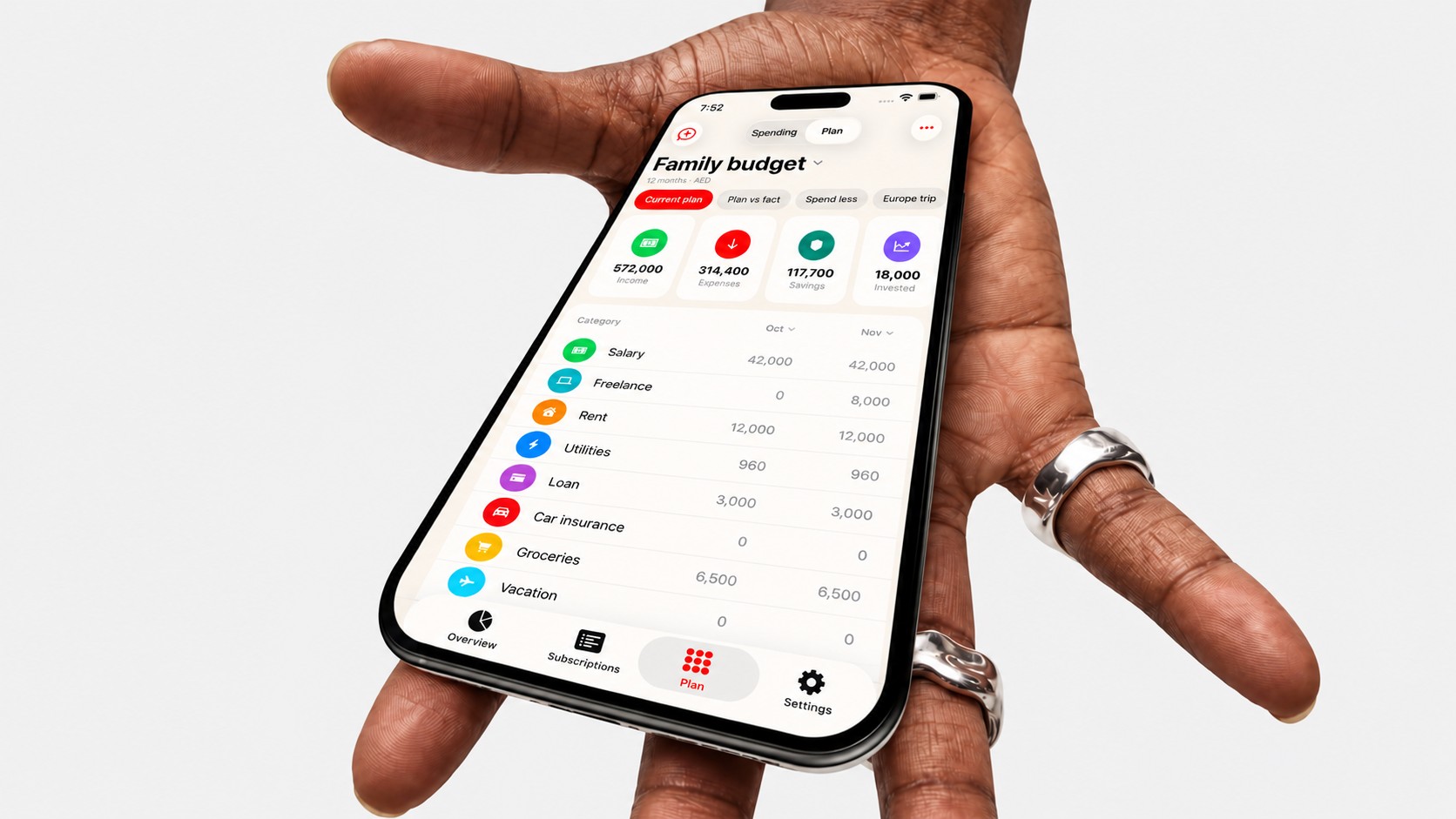
Tell Subscrr what you earn and spend. It maps your year month by month, shows what's left, flags tight months early, and lets you test a purchase before you make it.
Your year,
month by month.
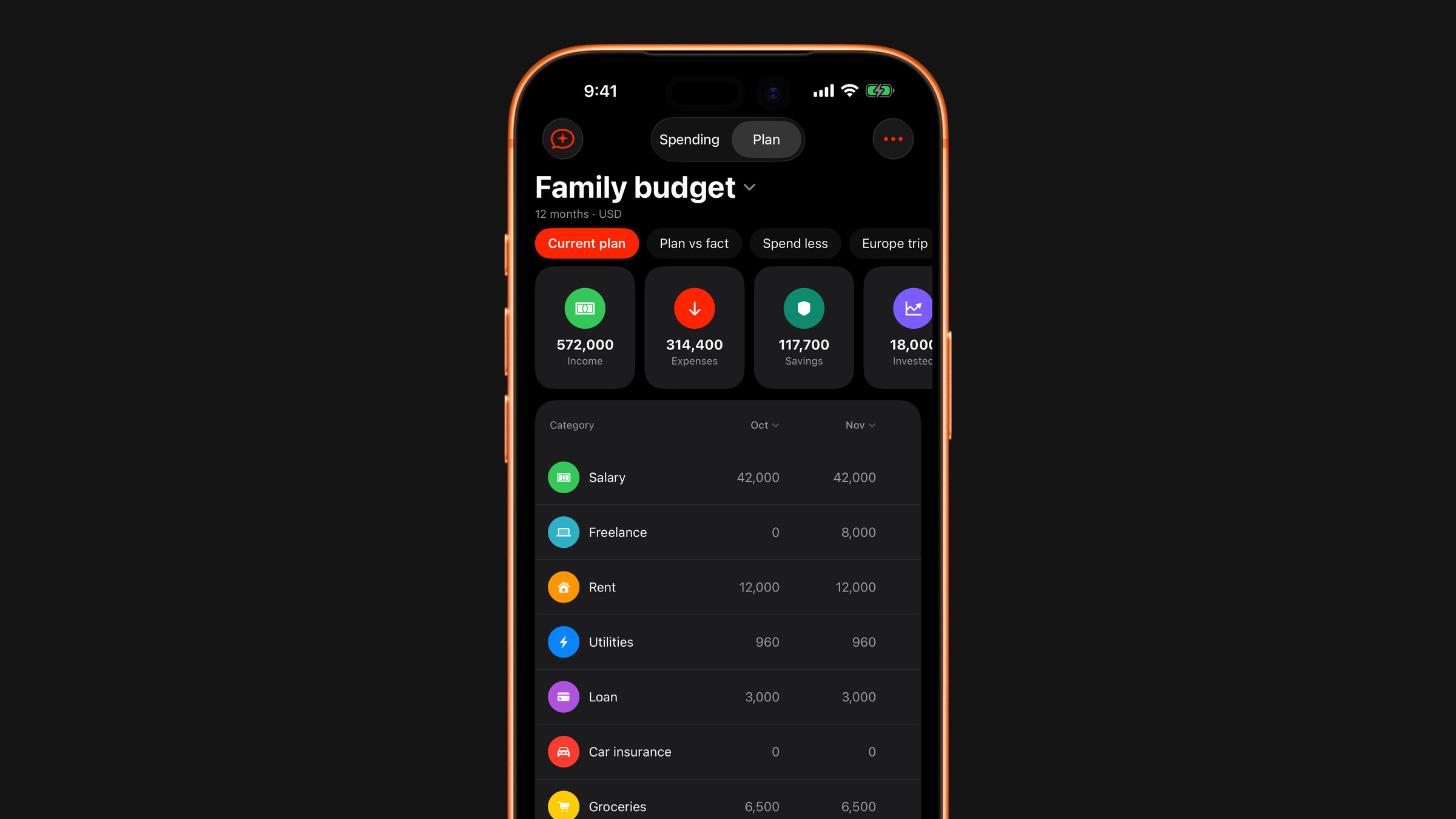
A year of your money on one screen, one column per month. Under the lines runs the number most people open the plan for: what is free in each month. The tight month shows up long before you get to it.
Describe it
in your own words.
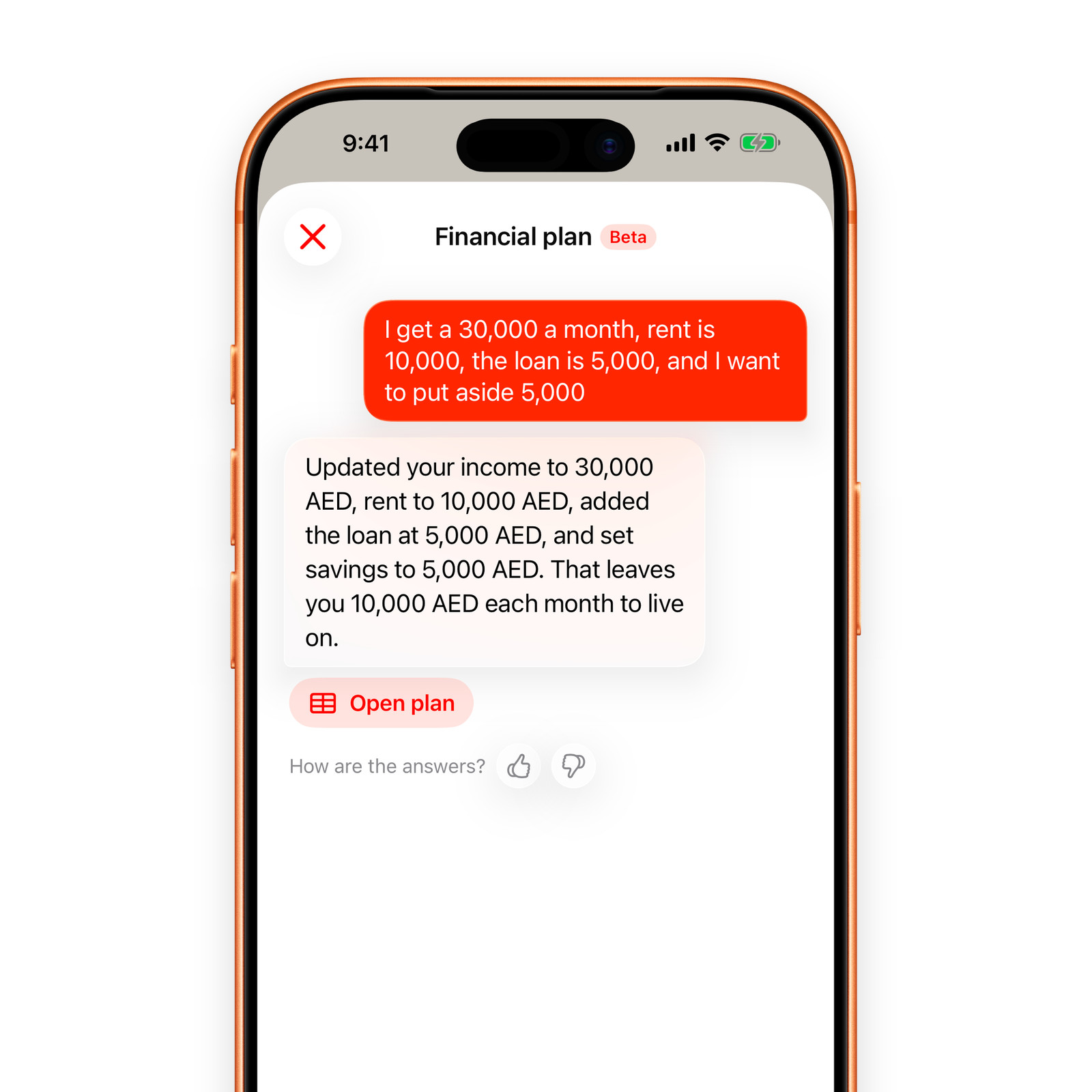
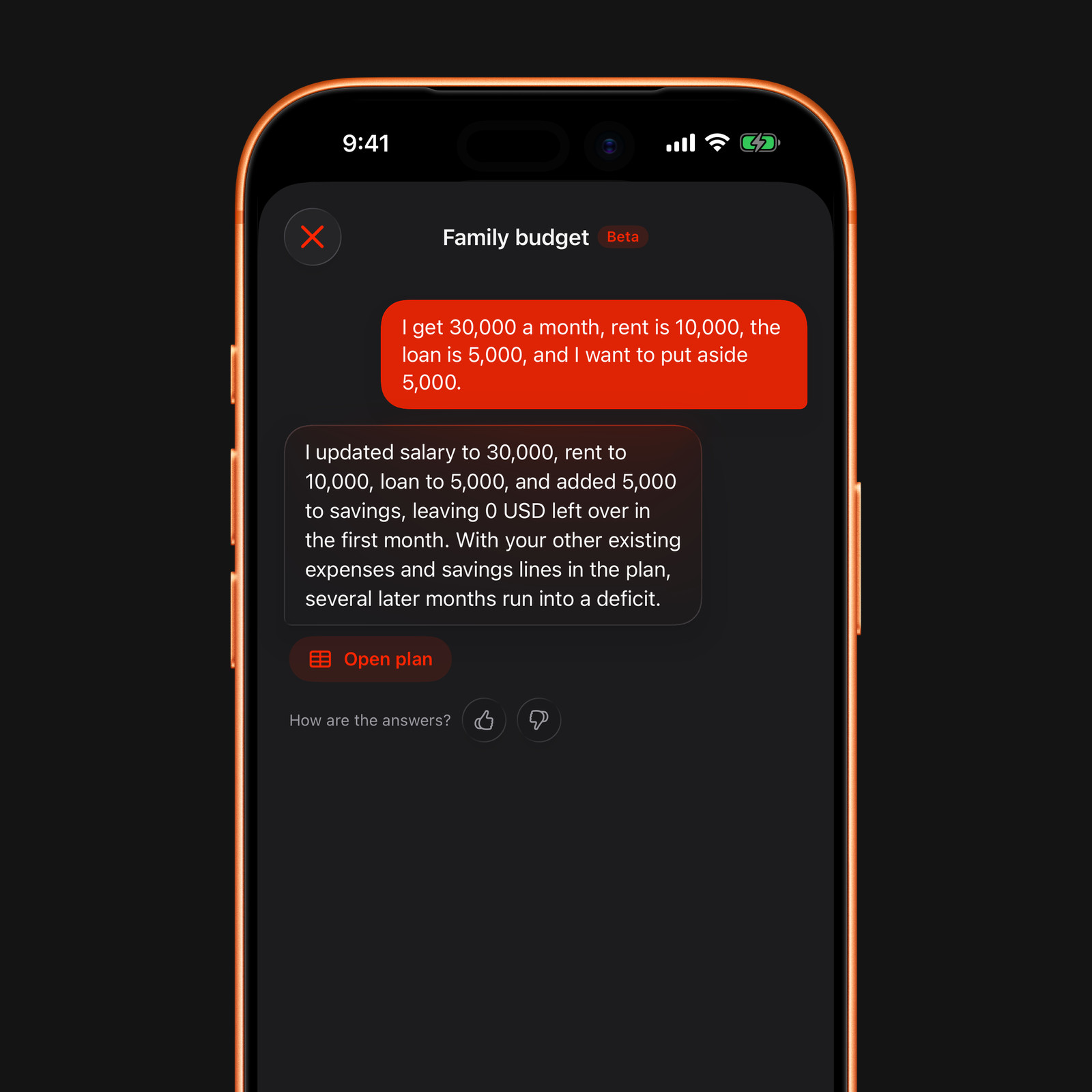
The fastest way in is one message. Write your money the way you would say it out loud. Subscrr lays out a table across the whole horizon, one column per month. Nothing to fill in first, no form, no categories to choose.
I get 30,000 a month, rent is 10,000, the loan is 5,000, and I want to put aside 5,000.
Free on the App Store.
Get the app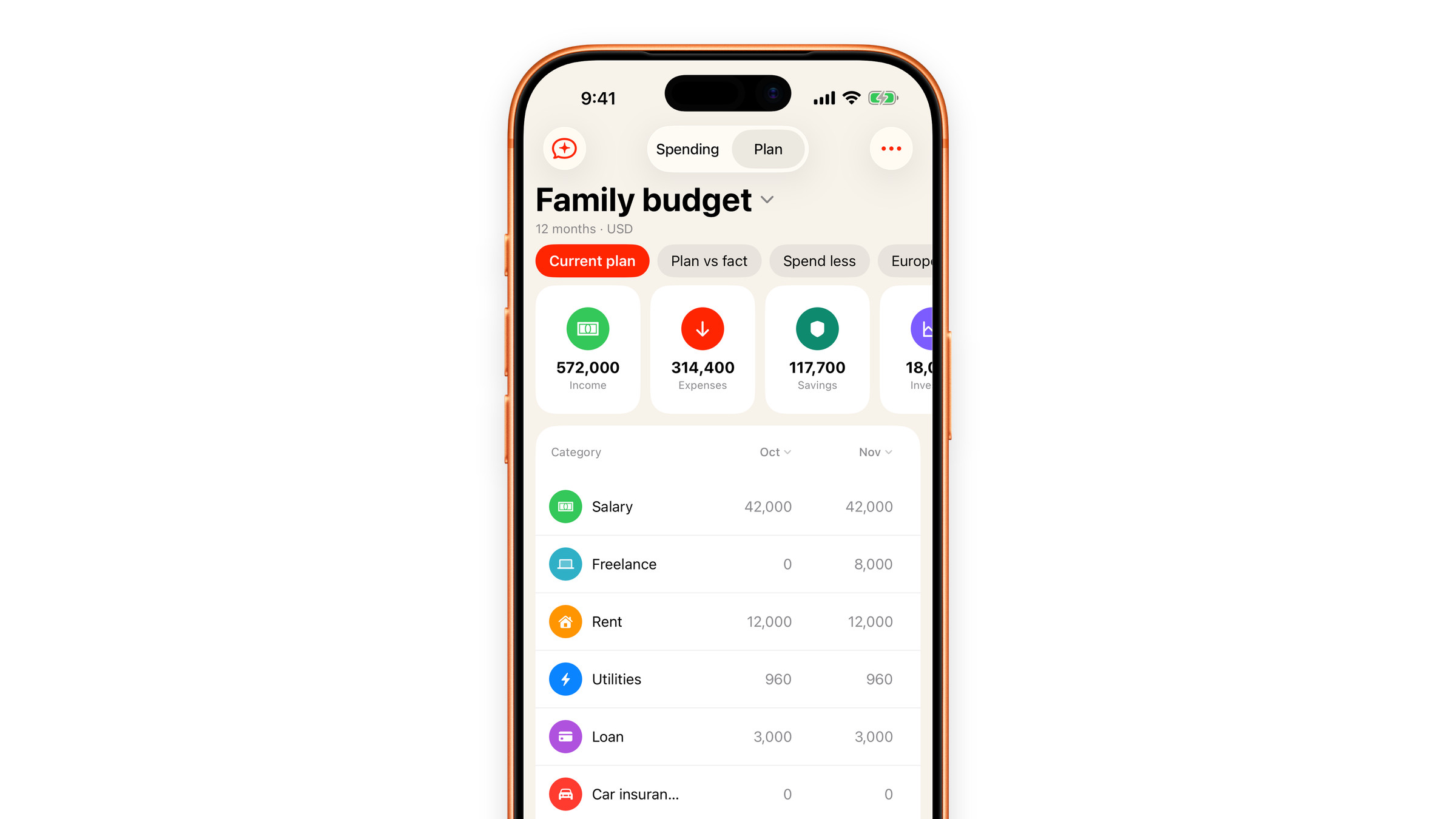
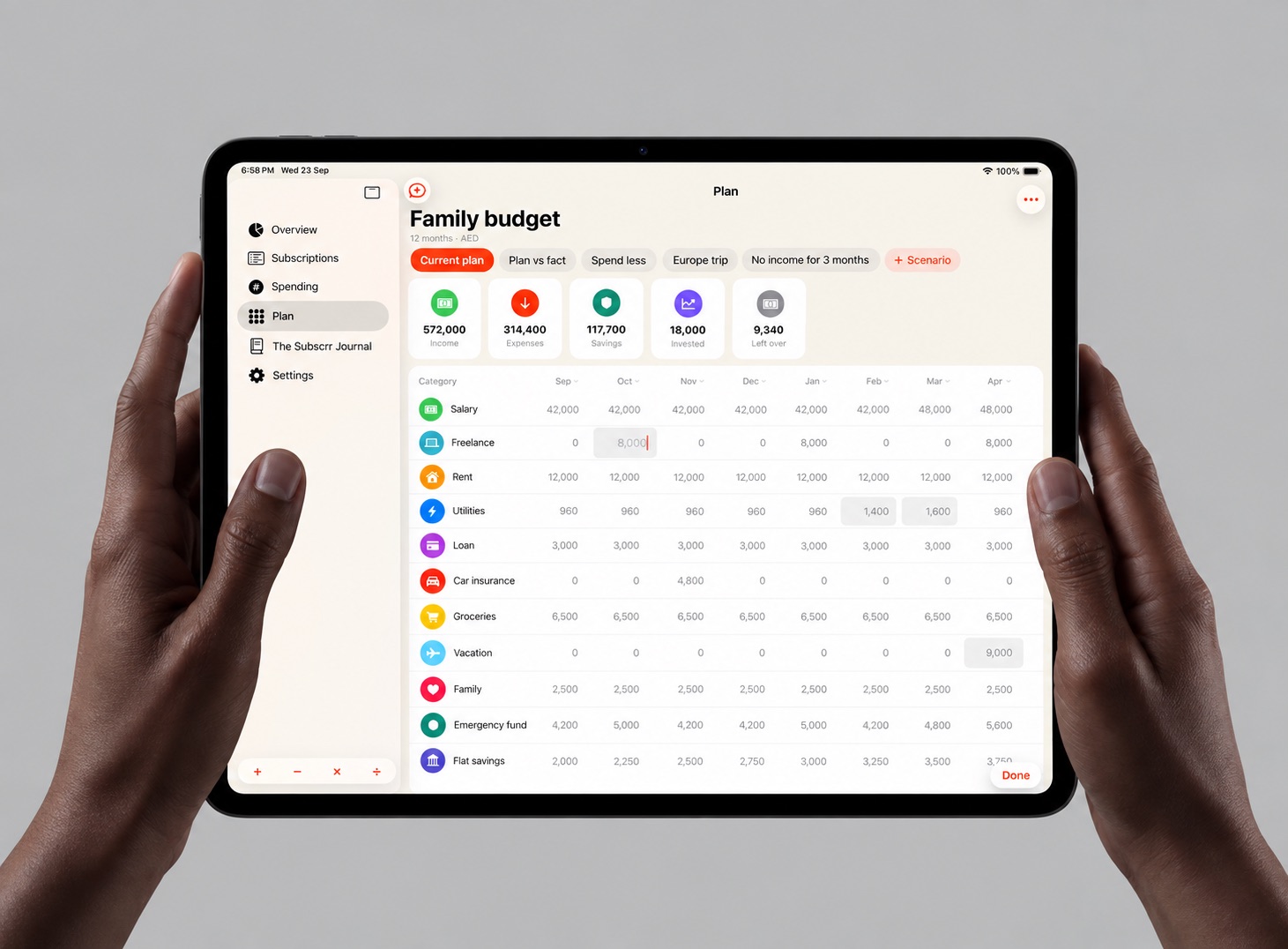
The whole year,
side by side.
On iPad the plan opens into a full table: twelve months across, every category in its own row, scenarios a tap apart. Change one cell and the rest of the year follows.
Test it
before you do it.
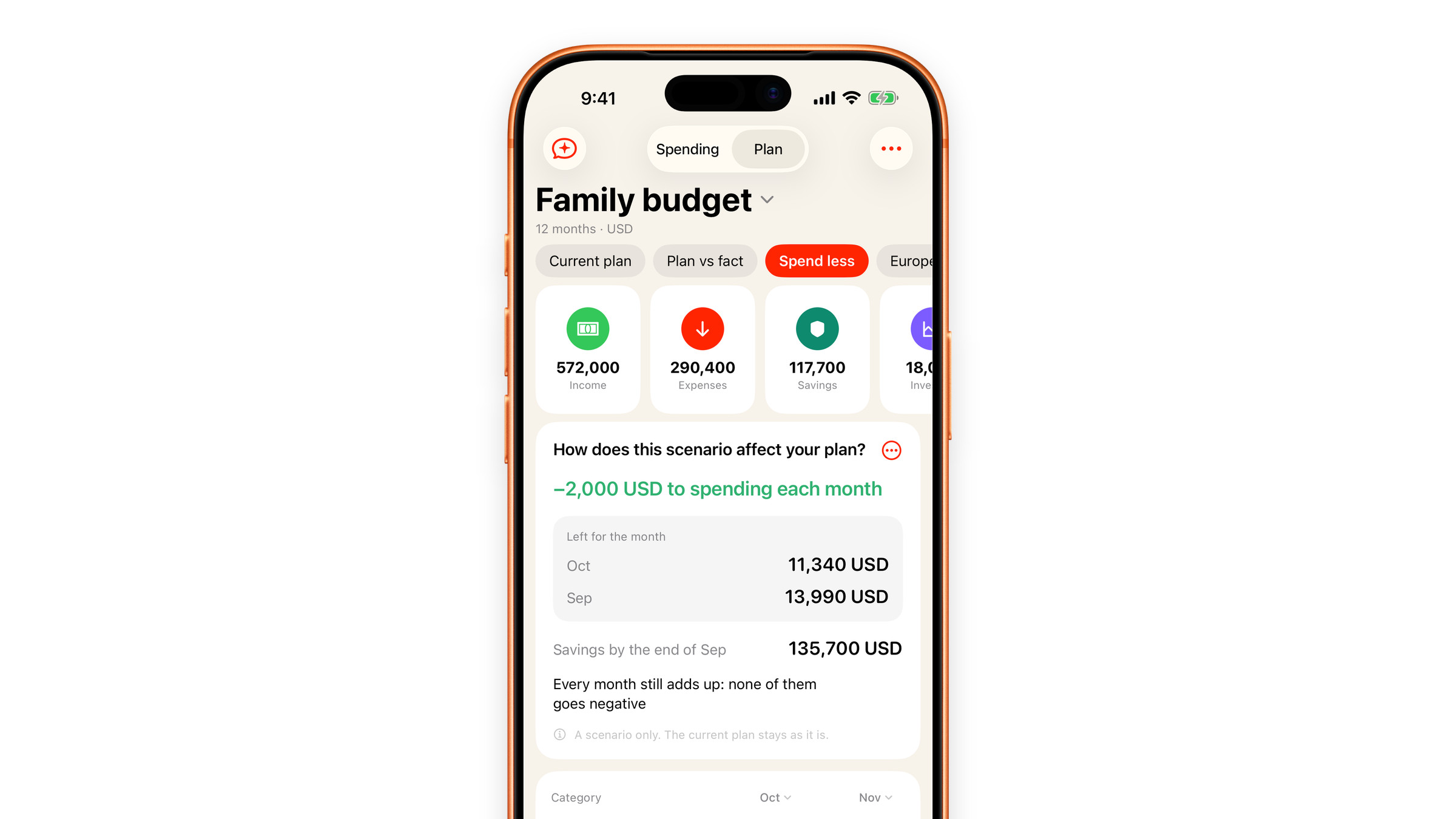
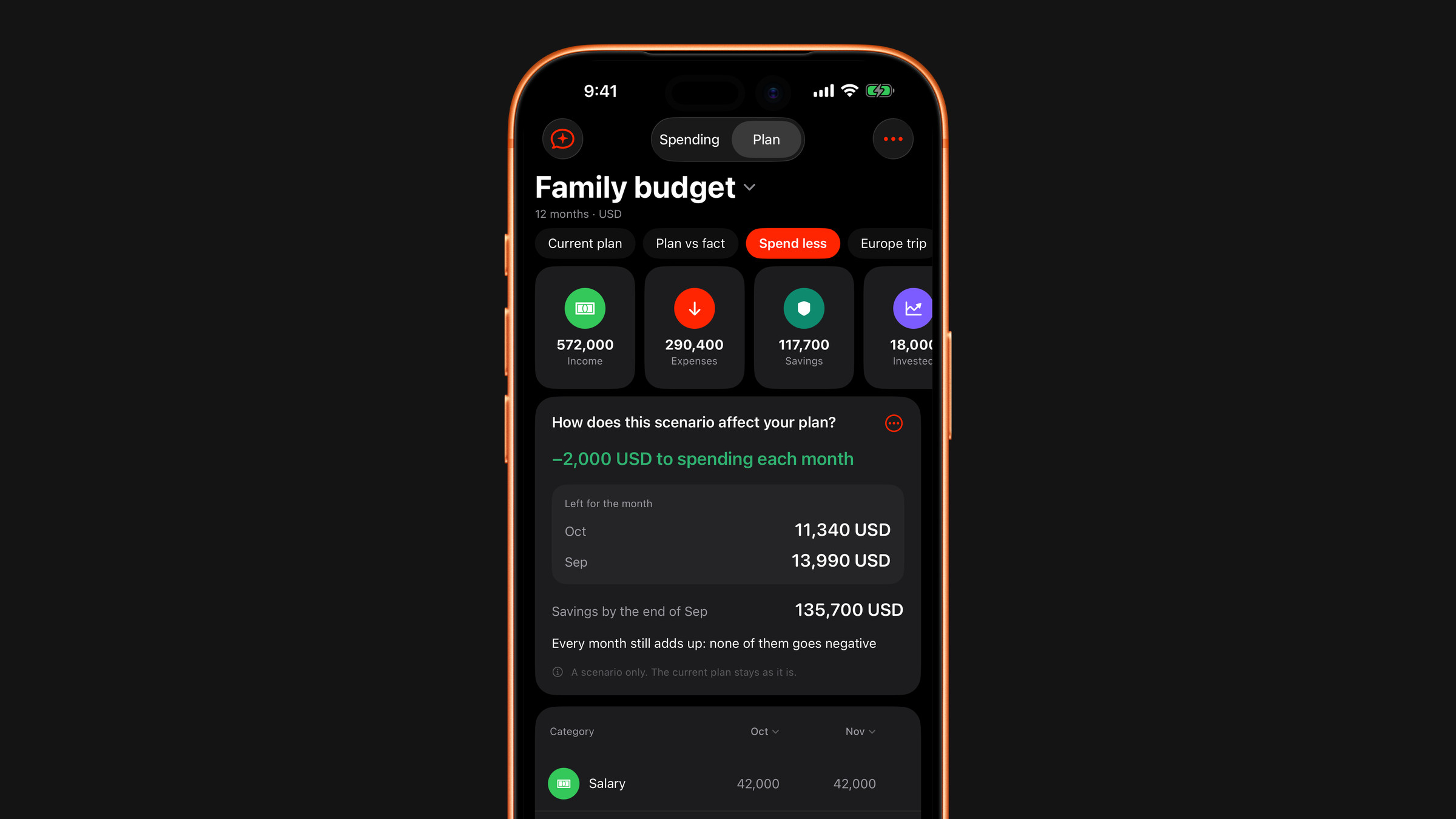
A scenario is a question you put to your plan: what happens if the rent goes up, if you set aside a thousand more, if there is no income for three months. Subscrr answers on a copy, and the plan you built stays as it is.
 Nothing moves until you say so
A scenario sits next to the plan and never rewrites it. When one turns out to be the life you actually want, Apply to plan hands those numbers to the plan.
Try a scenario Plan and fact
Put real life next to the plan. Every month gets a Plan column and a Fact column where you type what actually happened, and the totals show the plan, the fact and the difference between them.
Nine kinds
of what-if.
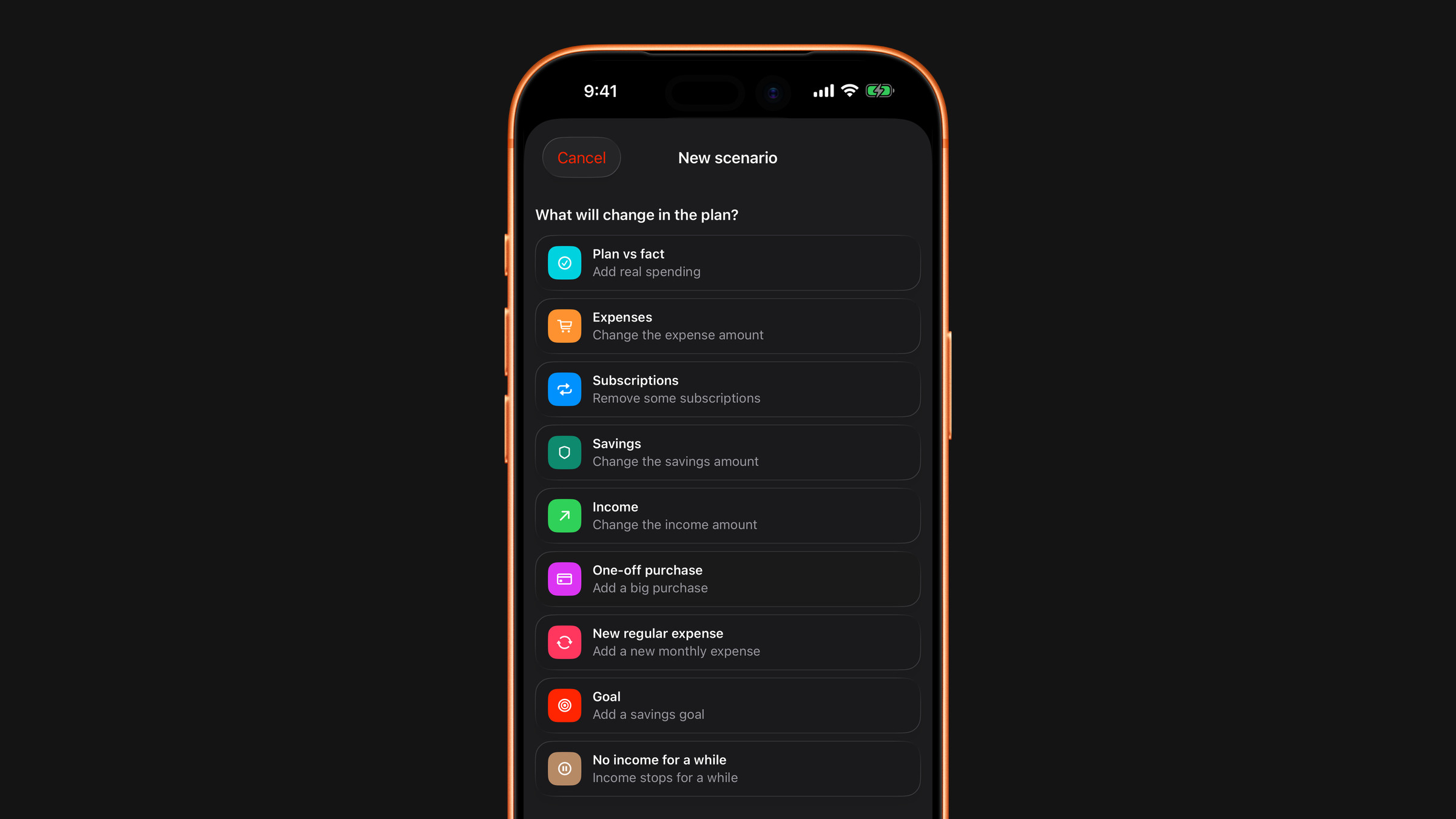
Tap the Scenario chip and the sheet asks “What will change in the plan?” Choose a kind, and it opens a screen with the single thing it needs.
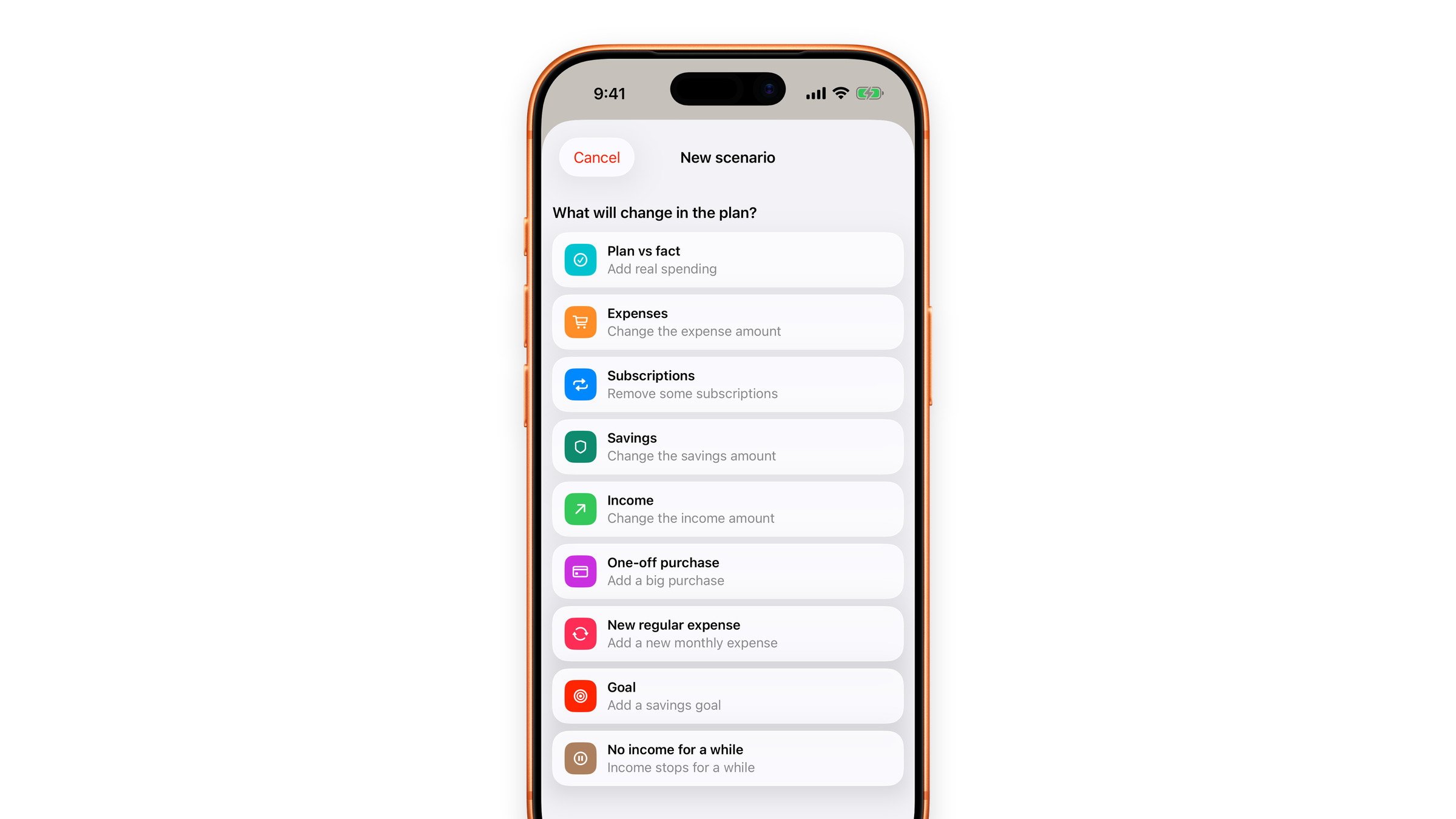
Plan vs fact
Real life next to the plan, month by month.
 Expenses
A different monthly total for what you spend.
 Subscriptions
Tick the subscriptions you would cancel and see the plan without them. This one is free.
 Savings
A different amount put aside each month.
 Income
A raise, a cut, a different job.
 One-off purchase
Something large, with its amount and the month it lands in.
 New regular expense
A payment you do not have yet, added to every month.
 Goal
An amount you want to have saved by the end of the period.
 No income for a while
From 1 to 12 months with nothing coming in, paid from the savings you live on.
A plan you confirm
is a decision.
Your subscriptions never rewrite the plan on their own. If every price rise quietly rewrote the plan, you would never be sure whether the numbers in front of you are the ones you agreed to. A plan that edits itself is a report.
Review changes or Not now
When your subscriptions change, the plan asks. Review changes shows the old and new amounts and lets you update the plan; Not now leaves it exactly as it was.
Keep your plan up to date
One plan free.
More with Premium.
Free
You keep one saved plan, which is enough to plan your own year, and a horizon of up to 12 months. The Subscriptions scenario is free too.
Premium
Premium removes the limit on saved plans, lets you project up to 60 months ahead and opens the other scenario kinds.